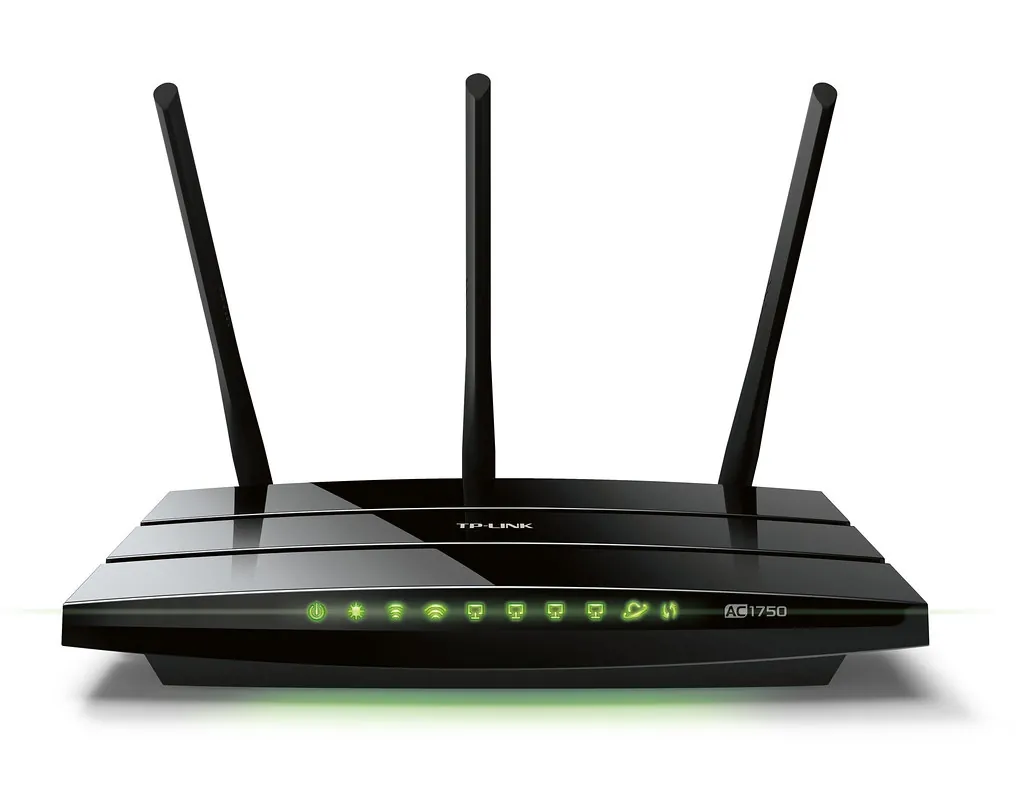
I upgraded my Toronto townhouse from a Wi-Fi 6 ASUS router to a TP-Link Archer BE800 in December 2025. Streaming, gaming, and video calls went from “works fine” to “weirdly excellent.” Here is what Wi-Fi 7 actually delivers and how to set one up without overpaying.
What is Wi-Fi 7 and is it worth upgrading?
Wi-Fi 7 (802.11be) is the 2024 standard. Three new features matter:
- 320 MHz channels on the 6 GHz band – doubles raw bandwidth
- MLO (Multi-Link Operation) – your device talks to the router on 2.4, 5, and 6 GHz simultaneously, drastically lower latency
- 4K-QAM modulation – 20% more data per radio signal
Real-world: my Pixel 10 Pro on Wi-Fi 7 hits 1.4 Gbps near the router. On Wi-Fi 6 it capped at 850 Mbps. Latency dropped from 8ms to 3ms.
Worth upgrading if: you have gigabit internet, multiple 4K streams, or play competitive games. Skip if your ISP plan is under 300 Mbps.
Which Wi-Fi 7 router should I buy?
| Router | USD | Best For | Ethernet Ports |
|---|---|---|---|
| TP-Link Archer BE800 | $499 | Mainstream best | 1x10G + 4×2.5G |
| ASUS RT-BE96U | $549 | Gaming, customization | 2x10G + 4×2.5G |
| Netgear Nighthawk RS700S | $699 | Plug-and-play | 1x10G + 4x1G |
| Eero Max 7 (mesh) | $599 (single) | Large homes mesh | 2x10G + 2×2.5G |
How do I set it up step-by-step?
- Unplug your old router or modem-router combo. If you have an ISP combo unit, ask the ISP to put it in “bridge mode” so the new router does Wi-Fi.
- Connect new router WAN/Internet port to modem with the included Ethernet cable.
- Power on, wait 2-3 minutes for boot.
- Download manufacturer app (TP-Link Tether, ASUS Router, Nighthawk).
- Scan QR code on the router. App walks through setup.
- Set unique SSID and strong WPA3 password. Different SSIDs for 2.4/5/6 GHz are useful for power users; same SSID with band-steering is simpler.
- Set router admin password – never leave default.
- Enable WPA3 not WPA2 (WPA3 is mandatory for Wi-Fi 7 features).
- Place centrally, at least 1.5m off the floor, away from microwave/baby monitor.

Should I run one SSID or three?
One SSID with band-steering enabled. Modern devices know how to pick the best band. Three separate SSIDs (2.4, 5, 6 GHz) is for power users who want explicit control. With Wi-Fi 7 MLO, separate SSIDs actually hurt – MLO uses all three bands simultaneously.
How do I get the best speed?
Five tips:
- Update firmware immediately. Initial firmware on most 2024-2025 routers had bugs.
- Use a wired backhaul if using mesh.
- Place the router off the floor. Carpet absorbs signal.
- Check channel width. 320 MHz on 6 GHz, 160 MHz on 5 GHz, auto channel selection.
- Disable smart connect if it makes devices stick to 2.4 GHz – some implementations are buggy.
What about mesh Wi-Fi 7?
For homes over 2,500 sq ft or with weird layouts (basements, brick walls), mesh helps. Eero Max 7 and TP-Link Deco BE85 are the picks. Mesh trades absolute peak speed for coverage uniformity.
If you have wired Ethernet between rooms, run wired backhaul – mesh over wireless backhaul cuts effective speed in half.

How do I know if my devices support Wi-Fi 7?
Phones: iPhone 16 series and newer, Pixel 9 and newer, Samsung Galaxy S24 Ultra and S25/S26 series.
Laptops: 2024+ with Intel BE200, Qualcomm FastConnect 7800, or MediaTek Wi-Fi 7 cards.
If you upgraded the router but devices are still Wi-Fi 6/6E, you get backwards-compatible improvements (better congestion handling, longer range) but not the peak speed gains.
For network troubleshooting after install, see my Windows 11 slow internet fixes. For network-level ad blocking on your new router, my home server guide covers Pi-hole. For broader smart-home integration over Wi-Fi, my smart home with Alexa guide works on Wi-Fi 7 networks fine.

Frequently Asked Questions
Do I need a Wi-Fi 7 router if my internet is only 500 Mbps?
Not for raw speed. But MLO and lower latency are worth it for video calls and gaming. Wi-Fi 6E router is plenty.
Is the 6 GHz band better than 5 GHz?
Yes for short range, no for long range. 6 GHz has less interference but penetrates walls poorly. Good for same-room use, weaker through brick.
How long do routers last?
Useful firmware updates: 3-5 years from launch. Hardware: 5-7 years if it does not overheat. Replace if firmware updates stop.
Do I need to enable WPA3?
Yes for Wi-Fi 7 MLO. WPA2 still works as a fallback for old devices but limits security.
What is the difference between Wi-Fi 7 and 5G?
Wi-Fi 7 is your home network. 5G is cellular. They are unrelated tech standards.
