“My phone shows the screen, can I just put it on the TV?” – the most common question my Toronto friends and family ask me. Every phone OS has a built-in answer in 2026. Here is the cheat sheet for every combo.
How do I stream from an Android phone to a smart TV?
Google Cast (built into Android) is the answer. Most smart TVs from 2018+ have Chromecast built in – Sony Bravia, Hisense, TCL, Vizio, Samsung 2022+. Open a Cast-enabled app (YouTube, Netflix, Spotify), tap the Cast icon, pick your TV. Done.
For full screen mirroring (not just app content), pull down the Quick Settings tile labeled “Screen cast” or “Smart View.” Pixel 10 has this built in. Older Android needs Google Home app.
If your TV does not have Chromecast built in, buy a Chromecast with Google TV (4K version $50 USD, HD version $30). Plugs into HDMI, sets up in 5 minutes.
How do I stream from iPhone to TV?
AirPlay 2. Built into iPhone, iPad, and Mac. Most 2019+ smart TVs from LG, Samsung, Sony, Vizio, and Roku support AirPlay 2 natively.
- Make sure phone and TV are on the same WiFi.
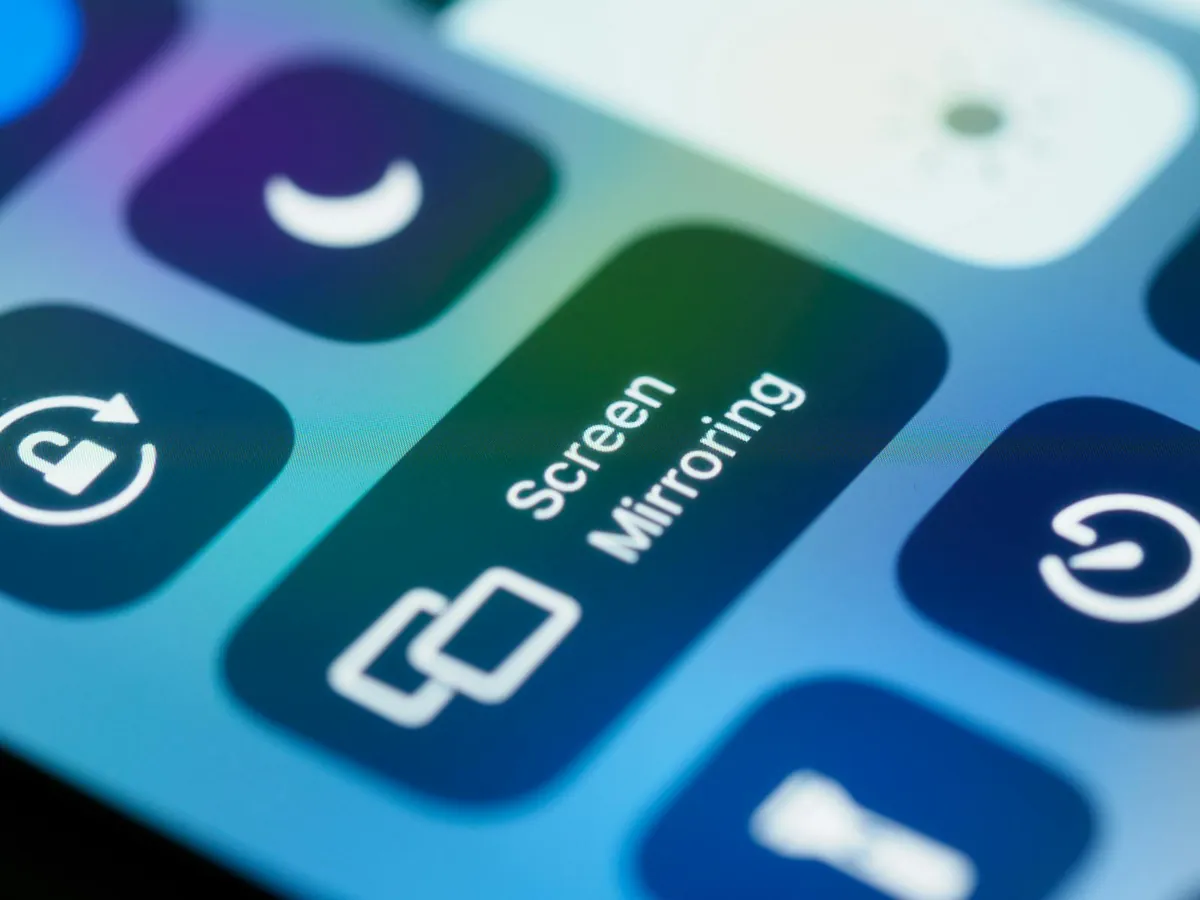
- Swipe down Control Center, tap Screen Mirroring.
- Pick your TV. Enter the 4-digit code shown on TV if prompted.
- Phone screen appears on TV. Or use AirPlay icon inside apps (YouTube, Apple Music) to send only that content.
If your TV does not have AirPlay 2, get an Apple TV 4K ($129 USD). Best media streamer in 2026.
What about Roku and Fire TV mirroring?
Roku: enables both AirPlay 2 (from iPhone) and Miracast (from Windows/Android) on Roku OS 9.4+. Settings, System, Screen Mirroring, set to Prompt.
Fire TV: built-in Miracast receiver. From Fire TV home screen, hold Home button, Mirroring. From Android phone Cast or Smart View menu, pick the Fire TV. Note: iPhone does NOT cast to Fire TV natively. Use the AirScreen app on Fire TV first, then AirPlay from iPhone.
Is Miracast still relevant?
Sort of. Miracast is built into Windows 10/11 and some Android phones. It works peer-to-peer (no WiFi needed). But it is dying – most new TVs have dropped it in favor of Cast/AirPlay. If your TV is older and you want to mirror a Windows laptop, a $30 Miracast adapter (Microsoft Wireless Display Adapter or AnyCast HDMI dongle) does the job.
How do these compare?
| Method | From | To | Quality | Latency |
|---|---|---|---|---|
| Google Cast | Android, Chrome | Chromecast / Google TV | 4K HDR | Low |
| AirPlay 2 | iPhone/iPad/Mac | Apple TV, AirPlay TVs | 4K HDR | Very low |
| Roku Mirroring | Android/Windows | Roku | 1080p | Medium |
| Fire TV Mirroring | Android/Windows | Fire TV | 1080p | Medium |
| Miracast | Windows/some Android | Miracast receiver | 1080p | High |
What about gaming-quality low latency?
None of these are great for gaming – 50-150ms latency makes fast games unplayable. For wireless game streaming from phone to TV, use Steam Link app or Xbox Cloud Gaming app on the TV directly.
For wired ultra-low-latency, use a USB-C to HDMI adapter (works on Samsung, Pixel, iPhone 15+) – that gives you a real HDMI output.
How do I troubleshoot when it does not work?
- Same WiFi. Phone and TV need to be on the same network. 5GHz vs 2.4GHz can confuse devices.
- Restart both. Solves 50% of cases.
- Update TV firmware. Smart TVs ship buggy and never auto-update.
- Disable VPN on phone. VPNs break Cast/AirPlay discovery.
- Check router AP isolation. Some router settings block devices from seeing each other.
If WiFi is the bottleneck, my WiFi 7 router guide covers reliable setup. For broader phone-to-PC sharing, my iPhone vs Android comparison covers Quick Share and AirDrop. For watching music streaming on the TV, my free music apps roundup covers Cast support per service.
Frequently Asked Questions
Can I mirror my phone to a non-smart TV?
Yes – buy a Chromecast with Google TV, Roku Express 4K, Fire Stick 4K Max, or Apple TV 4K. Plug into HDMI, set up with WiFi, then mirror as above.
Does mirroring work over cellular data?
No – phone and TV must be on the same WiFi network.
Will mirroring drain my phone battery?
Yes, significantly. Long sessions, plug the phone in.
Why does my screen look blurry on the TV?
Cast/AirPlay re-encode video. Some apps stream the original 4K stream directly (YouTube, Netflix); mirroring re-encodes to 1080p. Use the in-app Cast icon for best quality.
Can I mirror to multiple TVs at once?
AirPlay 2 supports multi-room audio but not multi-screen video. Google Cast: one device at a time.
